Apple will scan public iCloud links for “harmful content”
Apple says it’ll check public iCloud links for “harmful content.” That could cut down on malware and scam links in email—without touching private libraries.

By Theo Marsh· Email Vox · 7 Nov 2026

Key facts
- ■Apple will scan public iCloud links for “harmful content” tied to iOS/macOS 27.3.
- ■The scope covers iCloud Photos and iCloud Drive shares set to “Anyone with the link.”
- ■Private iCloud libraries are outside the described scanning behavior.
- ■Apple didn’t publish specific release dates for the 27.3 updates in the report.
- ■Email teams may see fewer malicious iCloud links reach inboxes as scanning rolls out.
Apple plans to start checking publicly shared iCloud links for “harmful content.” The change is tied to iOS 27.3, iPadOS 27.3, macOS 27.3, and visionOS 27.3, according to reporting by The Hacker News, and it applies when a user shares an iCloud file or photo using the “Anyone with the link” option (source).
The scope Apple described covers two surfaces: photos shared from iCloud Photos and files shared from iCloud Drive. The checks kick in only when the content is made accessible by a public link, which is how those URLs end up in email threads, chats, tickets, and vendor workflows.
Apple framed the review as screening for “harmful content,” a broad label the company didn’t break down in the report. That phrasing leaves room for malware binaries, abusive imagery, and other policy‑barred material, but Apple hasn’t publicly listed categories or thresholds in this context.
Private iCloud libraries are not included in Apple’s described scope. That means individual albums, shared albums with named participants, and one‑to‑one shares outside the “Anyone with the link” setting aren’t part of the new scanning behavior as outlined.
The reporting did not include calendar dates for when iOS 27.3 and its sibling releases will land. As with similar platform changes, rollout timing can ripple into enterprise change windows and vendor QA plans—even if your organization doesn’t standardize on Apple hardware.
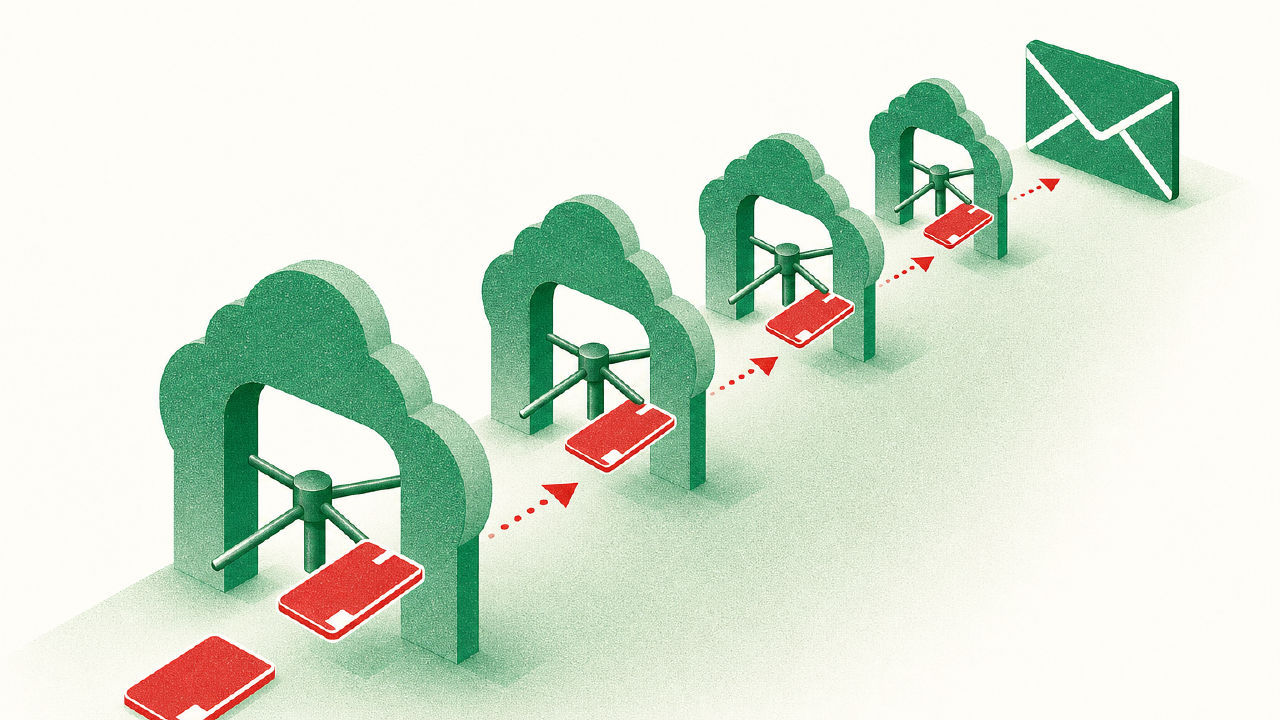
For email defenders, the immediate consequence is fewer completely uninspected iCloud links landing in inboxes. Because the change focuses on public links, the most abused class of share becomes less of a blind spot for both Apple’s platform and downstream scanners.
Attackers lean on cloud‑storage links because they blend in visually and often bypass naive filters. We’ve covered how infrastructure choices shape phishing at scale—like when the FBI seized a bulletproof host used for phish and sextortion campaigns—and why those takedowns don’t stop everything overnight (our Virtualine coverage).
Unlike disruption ops that hit hosting providers, this move happens at a sharing platform’s edge. Screening before or during public exposure can remove obviously bad content earlier, which helps URL‑rewriting gateways that otherwise have to detonate the target every time.
Legitimate senders who include iCloud links in customer support emails may notice different recipient experiences. If Apple blocks or warns on a file, your recipients could see a platform message instead of the expected content, driving support tickets and retries.
Security operations centers should expect small shifts in telemetry. If Apple intercepts some malicious content before users click, your click‑time detection stats for iCloud‑hosted URLs might dip, even as overall risk falls. That can affect how you evaluate gateway efficacy in quarterly reviews.
Enterprise DLP teams that rely on icloud.com allow‑lists need a recheck. Public links are often carved out to keep partner workflows moving; with platform‑level screening added, exceptions might be narrowed, or monitoring dashboards updated to log Apple’s verdicts separately when visible.
The report did not describe opt‑out controls or tenant‑level governance. Organizations that depend on public iCloud links to distribute assets—press kits, user guides, or temporary file drops—should test for any friction and document alternate share paths if an asset triggers a platform block.
Email marketers who link out to iCloud‑hosted media in support or community messages may want to audit click‑through flows. A platform‑inserted warning page can tank session length and conversions, even if the final asset is later restored or cleared.
Abuse desks might get new signal. If Apple displays a reason when a public link is blocked, security teams can mine that for detection engineering—adding lookups for the same file hash across other clouds and ticketing any matching links in internal mail.
It’s unclear whether Apple will scan only at link creation or continuously. Continuous checks would be better for email, because attackers sometimes swap benign files for malware after defenders whitelist a URL; periodic rescans would catch those late pivots more reliably.
On the privacy front, Apple emphasized the public‑link scope. That distinction matters: content shared to “Anyone with the link” is already accessible to anyone who finds it, so scanning it aligns with long‑standing norms at other cloud platforms, even if Apple didn’t name peers in the report.
For senders, the deliverability angle is simple: fewer outright malicious iCloud links in the ecosystem reduce the collateral damage when mailbox providers tighten link reputation. We’ve seen placement wobble when phishing noise spikes; tuning now helps you ride out those shifts (our guide to hardening during security headlines).
Security vendors will likely adjust parsers to better follow iCloud’s public link structure. If your stack depends on third‑party detonation, ask when they last updated icloud.com patterns, how they resolve chained redirects, and whether they score the final asset, not just the wrapper URL.
Customer support and sales teams should be looped in. They commonly paste cloud links into outbound email. A short internal explainer about how public iCloud links may behave differently—and when to prefer your company’s vetted file portal—can prevent avoidable back‑and‑forth with customers.
Incident responders can add iCloud public links to watchlists during active phishing waves. If Apple’s screening knocks out a subset of links in a campaign, responders can shift analyst time to the remaining hosts still serving payloads—a quick efficiency gain during peak days.
If you send from Apple devices, treat this as another reason to keep OS versions current. Platform security features can influence mail‑security outcomes indirectly, and lagging device fleets sometimes extend your exposure window when attackers pivot to new link patterns.
Organizations tightening authentication controls this quarter—pushing SPF (Sender Policy Framework), DKIM (DomainKeys Identified Mail), and DMARC (Domain‑based Message Authentication, Reporting, and Conformance)—should note the knock‑on effects. Cleaner link ecosystems make mailbox providers more comfortable enforcing strict domain identity, which many are already doing (our explainer on cyber insurers asking for DMARC receipts).
If your email program relies on cloud links for lightweight file distribution, consider shifting repeatable assets into your own domain. That gives you control over reputation and uptime, and it sidesteps any platform surprise that a third‑party host might introduce mid‑campaign.
For broader context, the industry has been converging on layered defenses that span email, cloud storage, and identity. Consolidation moves—like Proofpoint’s bet that email and data security belong together—are a reminder that link safety and message trust are increasingly inseparable in real‑world attacks (our coverage of that consolidation).
For readers tracking trends across the industry, we group stories like this under our industry hub at /category/industry, where we connect platform changes to concrete deliverability and security outcomes.
What happened
Apple will start scanning iCloud content shared via public links for “harmful content,” tied to iOS 27.3, iPadOS 27.3, macOS 27.3, and visionOS 27.3, as reported by The Hacker News (link).
The scanning applies when users select “Anyone with the link” for sharing from iCloud Photos or iCloud Drive. Content that isn’t publicly shared remains outside the described scope.
Apple didn’t publish dates for the 27.3 releases in the report. Enterprises should watch their MDM baselines and update plans accordingly to capture the change promptly once available.
The background
Public file‑sharing links frequently end up inside phishing emails because recipients expect to see cloud links and many gateways default‑allow known hosts. Platform‑side scanning can remove some abusive content before it reaches a mailbox.
The distinction Apple drew—public links only—tracks with common practices at major storage providers that try to curb abuse without inspecting private libraries. That balance aims to cut risk while avoiding surveillance concerns over personal content.
In email, small upstream shifts can reshape deliverability. When link abuse drops, mailbox providers have more room to tighten authentication and reputation rules without spiking false positives. We’ve documented how such shifts can jolt placement around busy seasons (our look at Gmail’s placement swing).
What people are saying
The Hacker News summarized Apple’s plan to “start checking public iCloud links for harmful content,” covering iCloud Photos and iCloud Drive public shares and tying the behavior to the 27.3 OS family (source).
Vendors and mail teams are likely to treat the move as a net positive for phishing defense, particularly for campaigns that park payloads behind familiar cloud brands. Expect parsing updates and allow‑list tweaks as the change rolls out.
Security leaders will ask for details Apple hasn’t published in the report: what “harmful” includes, how often links are re‑checked, and whether reasons are shown on blocked pages. Those specifics shape how SOCs triage user‑reported messages that contain iCloud URLs.
What happens next
Watch Apple’s release notes for iOS 27.3, iPadOS 27.3, macOS 27.3, and visionOS 27.3 for confirmation of the feature, scope, and any admin controls. Test public‑link flows with a small group before broad rollouts.
Audit your email security stack for how it handles icloud.com links. Ensure URL rewriting, sandboxing, and SIEM enrichment follow redirects and score the final asset, then record verdicts consistently across hosts.
Brief support, marketing, and sales teams about potential changes to how recipients experience public iCloud links. Keep a fallback file‑delivery path ready in case a public link is flagged and a customer needs an alternative quickly.
The Email Vox take
• Expect fewer iCloud Drive and iCloud Photos links to slip past filters. Update your block/allow logic to treat public iCloud links as “conditionally trustworthy” and re‑score them post‑redirect instead of blanket‑blocking.
• Tune link‑detonation. Add special handling for iCloud’s public link patterns so sandboxes open the actual asset, not just the wrapper URL. If you rely on URL rewriting, confirm your click‑time scanning follows Apple’s redirects and still captures verdicts in telemetry.
• Prep user comms. Draft a short note for employees and customers that public iCloud links they receive may be blocked or previewed differently. Pair it with reminders on DMARC, SPF, and DKIM alignment so your own mail—and any legitimate iCloud links you send—keep landing where they should.
Frequently asked questions
- what exactly is apple scanning in icloud?
- Apple says it will check content shared via public iCloud links—photos from iCloud Photos and files from iCloud Drive—when users choose “Anyone with the link.”
- does this affect my private icloud library?
- No. The change applies to content you share publicly with a link. Private libraries and non‑public shares aren’t covered in Apple’s described scope.
- when will apple’s scanning start?
- Apple ties the change to iOS 27.3, iPadOS 27.3, macOS 27.3, and visionOS 27.3. The company didn’t publish calendar dates in the reporting we saw.
- what does apple mean by “harmful content”?
- Apple used the term “harmful content” in outlining the change, without detailing categories in the report. The scope is limited to publicly shared links.
- will this reduce phishing links in email that point to icloud?
- It could. Scanning of public links may curb abuse of iCloud‐hosted content in phishing, but Apple hasn’t promised outcomes, and blocking criteria weren’t published.
- can i turn this scanning off for public links?
- Apple framed this as a platform behavior for public iCloud links. The report didn’t describe opt‑outs or per‑tenant controls.
- does this cover both photos and documents?
- Yes. Apple’s change covers photos shared from iCloud Photos and files shared from iCloud Drive when they’re set to “Anyone with the link.”
- which devices are included?
- Devices running iOS 27.3, iPadOS 27.3, macOS 27.3, and visionOS 27.3 will get the change, according to the report.
Why this matters
Public cloud‑storage links show up in a lot of phishing because they blend in. Apple stepping in to scan iCloud links shared as “Anyone with the link” may trim one popular hiding place for payloads and scam pages. For mail teams, that’s a potential reduction in risky clicks—and a reason to revisit allow/block rules that treated iCloud links as binary good or bad. It also nudges the industry toward more platform‑level screening of public shares, which raises deliverability questions for legitimate senders who rely on cloud links inside email.
Sources
Reporting draws on the public sources listed above. Spotted an error? Request a correction.
Follow-up coverage
Related coverage

North Korea’s Kimsuky is email‑pitching Ukraine’s experts
A South Korean firm says Kimsuky used credible invites and research asks to pry into Ukraine’s war intel, then shifted to payloads hosted on developer platforms.
15 Oct 2026

Hacker posts 41,000+ DHS employee records. Okta disputes link
A searchable dump names tens of thousands at CBP, ICE, HSI and more. The hacker says Okta SSO; Okta says it wasn’t breached. Email risk: targeted lures.
31 Oct 2026

Phishing takedown targets the cloud accounts behind the scams
A coalition disrupted infrastructure linked to more than a billion malicious messages, exposing how phishing services turn legitimate cloud tools into attack machinery.
9 Oct 2026
Huntress: Microsoft 365 token replay hit 79 orgs
Huntress tracked an AitM token‑replay spree from mid‑July to late September that slipped into dozens of Microsoft 365 tenants without re‑prompting MFA.
27 Oct 2026

Researchers say Microsoft tech support scam rode a Russian TDS
Researchers say a Russian-run TDS and thousands of Cloudflare links helped a Microsoft impersonation scam route victims at scale.
21 Oct 2026

AI pen-test tool fuels massive hacks for $12
Researchers say a Chinese-speaking crew used the Cairn AI pen-test tool to loot hundreds of sites, while another campaign grabbed domain control for $12.
24 Oct 2026