BIMI, in plain English: a DNS pointer to your logo
BIMI puts your logo in the inbox—but only once DMARC is doing its job. Here’s the simple version, without the hype.

By Mara Quinn· Email Vox · 12 Nov 2026
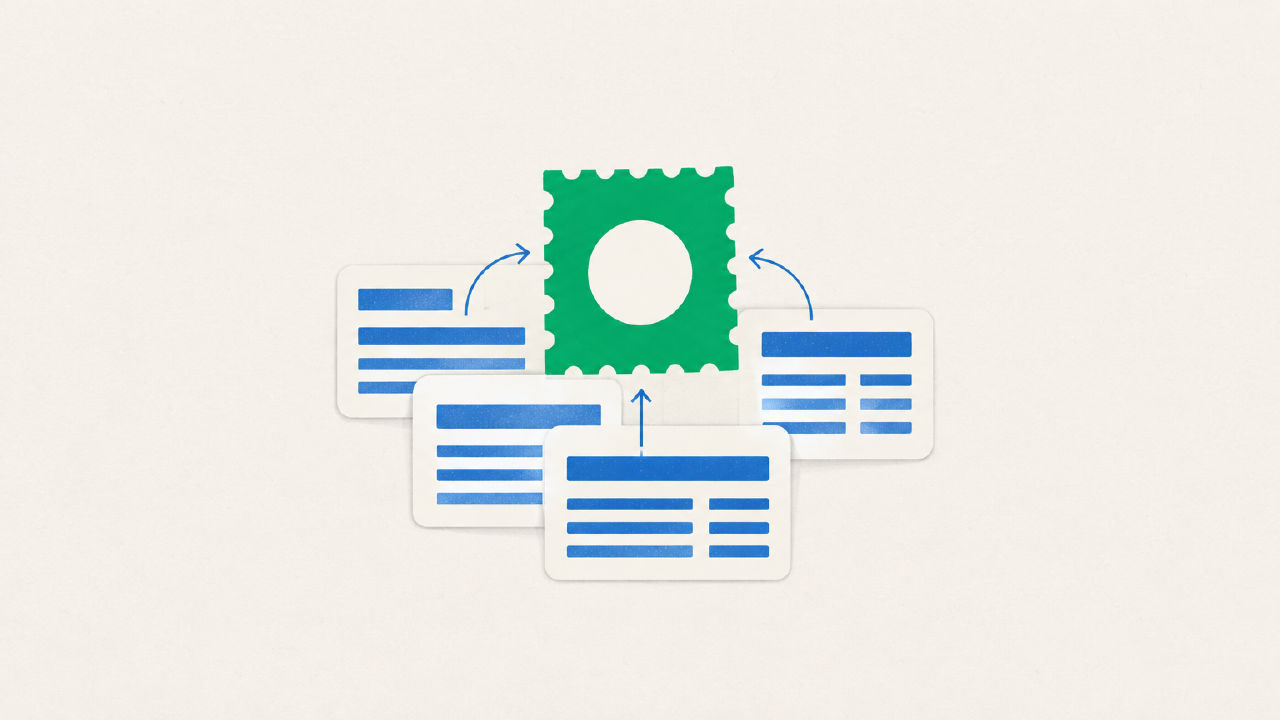
Key facts
- ■A BIMI record is a DNS TXT entry that points inbox providers to your logo.
- ■BIMI logos only display after the message passes DMARC, per MailGenius.
- ■Only participating providers use BIMI; non‑participants ignore the record.
- ■Adoption is growing, but BIMI records still cover a small share of domains.
- ■A clean campaign won’t show a logo if DMARC fails—even briefly.
If you’ve ever wondered how brands get their logo to show beside messages, here’s the no-fuss version: they publish one tiny DNS record, and they pass DMARC. That’s BIMI.
The term stands for Brand Indicators for Message Identification. A BIMI record lives in your DNS as a TXT entry. Its job is simple: tell participating mailbox providers where to fetch your logo, and only show it after they confirm the message passed DMARC (Domain-based Message Authentication, Reporting, and Conformance), according to MailGenius’s explainer.
What happened
-
MailGenius published a plain‑English walkthrough of BIMI, stressing a core rule: the logo appears only after your message passes DMARC checks. If DMARC fails, the logo won’t render, even if your creative is perfect and your campaign is otherwise spotless (source).
-
The piece also underlines adoption: more senders are publishing BIMI, but records still cover a small slice of active sending domains. That means plenty of legitimate mail arrives without a BIMI logo today, simply because many brands haven’t set it up yet (source).
-
Practically, BIMI’s DNS TXT record points mailbox providers to your brand logo’s location. Providers that participate will attempt to fetch and display the mark if DMARC passes. Providers that don’t participate will ignore the record without penalty (source).
-
The explainer frames BIMI as a display layer on top of existing authentication. In other words, BIMI doesn’t replace SPF (Sender Policy Framework), DKIM (DomainKeys Identified Mail), or DMARC; it rewards them with consistent branding in the inbox once they’re correctly set up (source).
If you’re new to authentication, our /category/authentication hub collects the essentials. For a tactical run‑up to inbox logos, see our earlier guide on the real prerequisite: BIMI logos start with DMARC enforcement, not design.
The background
BIMI is intentionally lightweight. A record in DNS tells mailbox providers “here’s where my logo lives,” and those providers choose whether to show it once they see DMARC pass. That pass condition is crucial: per MailGenius, no pass, no logo—full stop. This avoids rewarding senders whose authentication isn’t in order (source).
Because BIMI hinges on DMARC, stability matters. If you’ve ever watched deliverability wobble after a DNS change, you know how small errors compound. One record off, one service still mailing from the wrong subdomain, and DMARC alignment fails—taking your BIMI logo with it. We’ve covered how even reporting typos can spill details of your mail setup in a broken DMARC rua can map your whole mail setup, a reminder to be precise when you publish.
MailGenius also notes something many marketers feel anecdotally: adoption is climbing, but slowly. There are far more active sending domains than there are BIMI records. That gap means your audience might see your logo in some inboxes and a default avatar in others, simply because BIMI isn’t everywhere yet (source).
BIMI’s value proposition is clarity. A recognizable mark attached to authenticated mail helps subscribers spot the real you at a glance. That’s not a magic deliverability lever, but it is a trust cue layered on top of authentication. When you consider how often subscribers triage on mobile by scanning sender and icon, that cue is earned only after your DMARC pass says the message is legit (source).
What people are saying
MailGenius’s guidance emphasizes two points practitioners repeat often: keep your DMARC passing, and remember BIMI is a display feature, not an inbox guarantee. In their words, BIMI “tells participating mailbox providers where to find your brand logo, and it displays only after the message passes DMARC.” That framing keeps expectations realistic: branding follows authentication, not the other way around (source).
Deliverability teams we hear from echo the same ordering: authenticate first, brand second. When a logo fails to show, the fix usually isn’t the image; it’s alignment or policy. Our earlier explainer on inbox logos walks through that priority, including the work to reach enforcement on DMARC before you try to fine‑tune visuals in BIMI logos start with DMARC enforcement, not design.
Security leads add a practical note: tying a visible logo to a DMARC pass makes it harder for casual spoofers to borrow your brand equity in bulk mail. It won’t stop targeted impersonation or look‑alike domains, but it removes one free win—automatic logo display—from unauthenticated mail. For broader anti‑impersonation steps, see our run‑down in Brand impersonation: start with DMARC enforcement.
What happens next
For senders that haven’t touched BIMI, the near‑term plan is straightforward: confirm DMARC passes consistently, then publish the BIMI DNS TXT record pointing to your logo. MailGenius’s piece highlights that mailbox providers that participate will display your mark only after that pass, so you can test logo appearance as a proxy for stable authentication (source).
For teams mid‑migration—new ESP, new subdomains, or a brand refresh—build BIMI into your launch checklist. Because adoption is still limited across all senders, any brand that gets the basics right can stand out where providers do participate. The payoff is a verified visual alongside a message that already met DMARC’s bar, which is the kind of reinforcement subscribers actually notice in crowded inboxes (source).
If your logo doesn’t appear, don’t chase creative tweaks first. Check the same things you’d check for a DMARC failure: alignment, records, and recent DNS changes. A “clean campaign,” as MailGenius puts it, still won’t earn a logo if authentication falls short that day—and that’s the point of the gate (source).
Finally, monitor. Track where the logo shows and where it doesn’t, and keep a log of DMARC pass rates alongside any DNS edits. Over time, that paper trail becomes your fastest way to connect a missing mark to the exact change that caused it.
The Email Vox take
- Treat BIMI as the reward for authentication you already need. Make sure DMARC passes consistently before you publish the record.
- Start small: publish the BIMI record in DNS, then monitor. If the logo doesn’t appear where you expect, check DMARC alignment and policy, not just the image.
- Document who updates DNS and who owns creative assets. A single, accurate source of the logo path prevents breakage in future brand refreshes.
- Keep a rollback plan. If you rotate domains or replatform email, confirm the BIMI record and DMARC are still good before big sends.
Frequently asked questions
- what is a bimi record?
- A BIMI record is a DNS TXT entry that tells participating mailbox providers where to fetch your brand logo, which appears only after your email passes DMARC.
- does bimi work without dmarc?
- No. BIMI logos display only after the message passes DMARC, according to the source explainer.
- where do i publish a bimi record?
- You publish a BIMI DNS TXT record that points providers to your brand logo’s location.
- will every mailbox provider show my bimi logo?
- Only participating mailbox providers pull logos based on BIMI records; others will ignore it.
- is bimi adoption widespread yet?
- Adoption is growing, but published BIMI records still cover a small share of sending domains, per the source.
- does bimi change my deliverability?
- BIMI itself is about brand display. The logo appears only after DMARC passes, so correct authentication remains the gating factor.
- what happens if my campaign is clean but no logo shows?
- If DMARC doesn’t pass or a provider doesn’t participate, your BIMI logo won’t display—even if the campaign is otherwise clean.
- what does a bimi record actually point to?
- It points mailbox providers to where your brand logo lives so they can fetch it after DMARC checks succeed.
Why this matters
Inbox identity is shifting from guesswork to provable signals. BIMI doesn’t fix deliverability, but it uses the DMARC checks you should already have in place to display a verified brand mark where people make trust calls fast. That ties visual identity to technical authentication. Even if not every provider participates yet, a clean DMARC pass plus a correct BIMI record reduces confusion, deters lazy spoofs, and gives real senders one more way to be recognized before a click.
Sources
Reporting draws on the public sources listed above. Spotted an error? Request a correction.
Follow-up coverage
Related coverage
The DMARC‑first play to protect your next send
Gmail’s 0.1% complaint line, Outlook’s DMARC bounces, BIMI’s logo rules, and Mailgun’s 2027 TLS shift—here’s what to fix now for revenue‑safe sends.
12 Nov 2026
Gmail’s 0.1% line: protect your next send (and sales)
Gmail’s 0.1% line, Outlook.com’s DMARC hiccup, and noisy opens change what you ship next. Here’s a deliverability plan that protects sales without guesswork.
22 Nov 2026

Blocklist clean + DMARC ≠ inbox, says MailGenius
MailGenius says a clean blocklist check and a DMARC record don’t predict inboxing. Here’s what that means for your next campaign—and where to focus instead.
17 Nov 2026

Keep holiday revenue out of the spam folder
Gmail’s 0.1% line, Outlook.com’s DMARC bounces, and DKIM2’s DNS shift: here’s the fix‑first plan to keep revenue flowing as gift emails go out.
17 Nov 2026

Consistency beats frequency
A steady cadence beats more sends. Here’s how to pick a schedule you can keep, avoid deliverability dips when promos hit, and still ship revenue.
15 Nov 2026

Hard vs. soft bounces, in plain English (and what to fix)
Valimail’s guidance: keep total bounces under 2% and hard bounces under 1%, and don’t auto‑prune 5.7.x policy failures. Fix auth first, not your list.
20 Nov 2026