mSecure tells users: change passwords and reset 2FA, passkeys
The password manager told users to rotate everything—passwords, 2FA, and passkeys—after spotting “suspicious activity.” Here’s the practical playbook, minus the panic.

By Mara Quinn· Email Vox · 5 Nov 2026
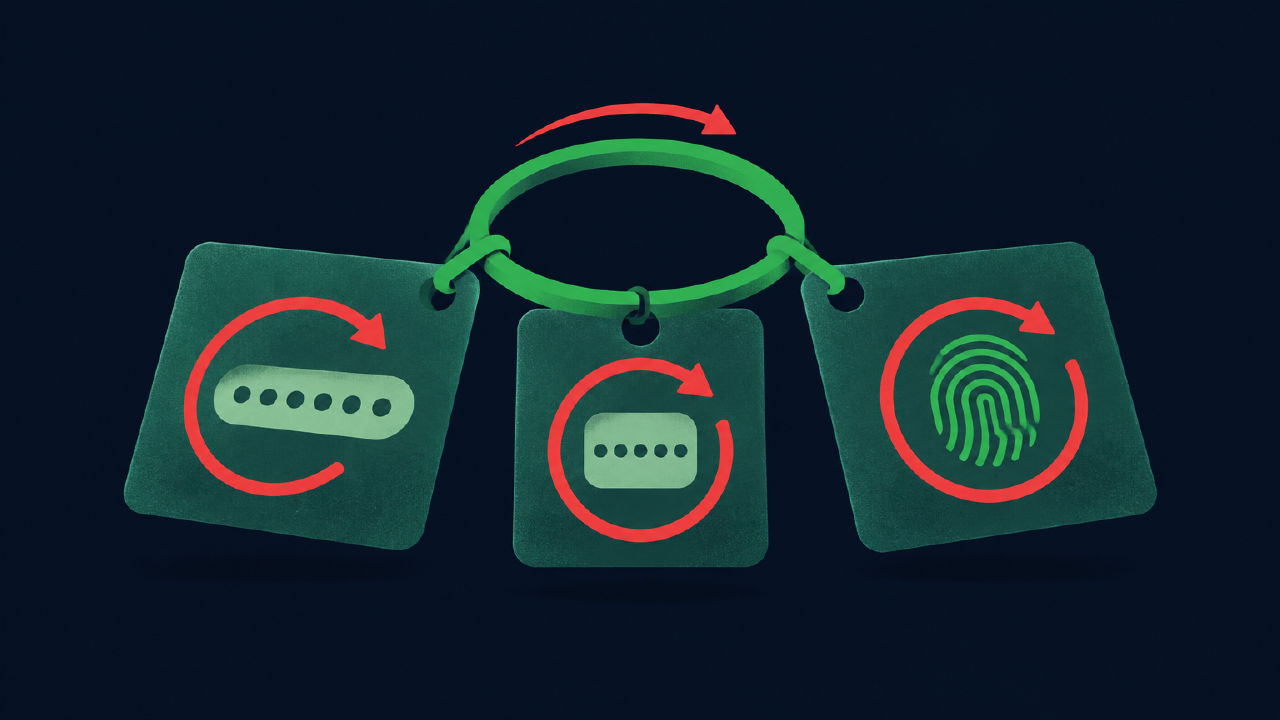
Key facts
- ■mSecure warned customers on Nov. 3 of “suspicious activity” tied to the app.
- ■The company urged users to change passwords, reset 2FA, and remove passkeys.
- ■The notice was sent under developer mSeven Software’s name.
- ■No additional technical details or breach confirmation were provided in the report.
- ■Users are advised to act now to protect confidential information stored in mSecure.
mSecure just told customers to rotate everything—passwords, two‑factor authentication (2FA), even passkeys—after it spotted “suspicious activity” tied to the app. The notice landed November 3 under developer mSeven Software’s name. It doesn’t confirm a breach, but the guidance is blunt: act now.
Password managers are concentration points for your digital keys, so even a precautionary alert should trigger a measured but thorough response. Here’s what mSecure asked, what that means in practice, and how to communicate changes without creating more risk in inboxes.
What happened
On November 3, mSecure customers received an email from mSeven Software urging immediate security steps: change account passwords, reset 2FA, and remove passkeys. The company said it learned of “suspicious activity” linked to the app, without offering additional technical detail in the report from The Hacker News.
The call to rotate three separate elements—passwords, 2FA, and passkeys—signals a broad defensive reset rather than a single‑vector fix. That pattern typically aims to invalidate any credentials or authenticators that might be weakened by unknown activity.
The message was framed as an urgent protective step for the confidential information users store in mSecure. Even without a confirmed breach, the advice is to assume risk and move quickly to contain it.
The background
mSecure is a consumer password manager built by mSeven Software. By design, password managers centralize sensitive logins and notes behind a single account, which can include multiple authentication factors: a password, a time‑based one‑time code or push (2FA), and increasingly, passkeys.
Resetting your account password invalidates the most basic secret. The second step—resetting 2FA—means removing your current second factor and re‑enrolling it, which cuts off anyone who might have copied or registered an additional factor during suspicious activity.
Passkeys, which use public‑key cryptography and device or platform authenticators, are also on mSecure’s reset list. Removing and re‑adding them ensures that only fresh, trusted devices hold the private half of those keys. This also narrows any window where a compromised device could act as a valid authenticator.
From an email‑risk angle, password manager incidents often trigger opportunistic phishing. Attackers may mimic support notices to capture real credentials. We’ve reported how realistic login clones now capture multi‑factor and sessions as well in AI‑made login clones now grab MFA and sessions, too. That makes clear, specific guidance—and authenticated sender identity—critical when you email users about resets.
If you’re drafting customer communications, align your mail with DMARC (Domain‑based Message Authentication, Reporting, and Conformance) so providers can verify that messages about security come from you. Our practical walkthrough on staying visible during noisy security weeks is in Harden deliverability when security headlines spike, and more broadly under the Security hub.
What people are saying
The November 3 email from mSeven Software asked customers to “act now,” specifically to change passwords, reset two‑factor authentication, and remove passkeys, per The Hacker News. The notice attributed the request to “suspicious activity” linked to the app, offering no further technical indicators in the summarized report.
Security teams typically favor broad credential rotation when an event’s scope isn’t yet fully understood. Asking users to refresh all factors minimizes residual access that can linger when only a single authenticator is changed. It also reduces second‑guessing: if a factor could be affected, treat it as affected.
For everyday users, the most common failure is partial rotation—changing a password but leaving old 2FA enrollments or passkeys in place. The mSecure guidance closes that gap by listing all three. Done in order, this produces a clean slate for subsequent activity tracking.
Email teams should plan for a temporary spike in account‑related traffic. Attackers often exploit such windows with lookalike notices that riff on real events. In earlier coverage, we’ve shown how adversaries bypass strong logins with social and technical tricks—see the “walk‑around” problem in Passkeys won’t save you from bad recovery and session theft patterns in Huntress: Microsoft 365 token replay hit 79 orgs. That context is useful when setting user expectations about what your genuine emails will—and won’t—ask.
If you must distribute reset instructions by email, avoid links where possible. Point users to known bookmarks or your app directly. When links are unavoidable, add clear cues users can verify, keep language precise (list the exact actions: password change, 2FA re‑enrollment, passkey removal), and ensure the From domain is aligned with SPF, DKIM, and DMARC.
What happens next
Users should follow the order of operations implied by the advice: change the mSecure account password first, then reset 2FA, then remove and re‑add passkeys. Document what you changed and when, which helps support teams validate legitimate resets later.
Organizations should prep help desks for verification‑first workflows. Expect callers who saw the November 3 notice and need assistance. Train staff to confirm identity without shortcuts, since attackers may try to piggyback on the moment with persuasive pretexts.
Marketing and product teams should coordinate on a single, signed customer message. Keep scope factual—reference the November 3 advisory and the requested rotations—and minimize speculation. If you send to large lists, stage by segment to monitor deliverability and engagement patterns as the notice rolls out.
Finally, monitor for copycat spam. Blocklists often light up after security notices. Tighten brand monitoring for lookalike domains and be ready with a follow‑up that teaches users how to verify real messages from your domain if you see phishing attempts that imitate your wording.
mSecure hasn’t shared further technical detail in the cited report, so treat this as a precautionary rotate‑and‑watch phase. If the company publishes indicators or a root cause later, adjust your controls accordingly and audit the changes you made during this first pass.
The Email Vox take
-
Rotate secrets in this order: change your mSecure account password, reset 2FA, then remove and re‑add passkeys. Document each change in your incident log. Avoid reusing old values.
-
Treat post‑incident mail carefully. If you email customers about credential changes, align with DMARC and keep content specific to actions, not causes. Our step‑by‑step on keeping delivery solid during security noise is here: Harden deliverability when security headlines spike.
Frequently asked questions
- what did msecure tell users to do?
- mSecure urged customers to change account passwords, reset two‑factor authentication (2FA), and remove passkeys after detecting suspicious activity linked to the app.
- when did msecure send the warning?
- The email notice went out on November 3, according to a message sent in the name of developer mSeven Software.
- is this a confirmed data breach at msecure?
- The company referenced “suspicious activity” tied to the app. The notice did not confirm a data breach in the details reported.
- who makes msecure?
- mSecure is developed by mSeven Software, which sent the November 3 warning notice to customers.
- do i need to reset passkeys as well as passwords?
- Yes. The notice specifically urged customers to remove passkeys in addition to changing passwords and resetting two‑factor authentication.
- what does reset 2fa mean in this case?
- It means re‑enrolling your second factor for mSecure: remove existing 2FA setups and register fresh ones, as the company advised after detecting suspicious activity.
- did msecure say what the suspicious activity was?
- No additional details on the activity were provided in the report beyond it being linked to the app.
- who received the warning?
- Customers of the mSecure password manager received the notice sent in mSeven Software’s name on November 3.
Why this matters
Password managers sit at the center of a user’s digital life, so any security warning—even without breach confirmation—demands swift, orderly action. mSecure’s ask to rotate passwords, 2FA, and passkeys is a reminder that modern authentication has multiple moving parts. Email teams will likely field resets, alerts, and policy updates: clear notices that actually reach inboxes, backed by DMARC alignment and cautious wording, can cut confusion and phishing risk while customers lock down their accounts.
Sources
Reporting draws on the public sources listed above. Spotted an error? Request a correction.
Related coverage
Chainalysis says an intruder saw some customer identity data
The blockchain sleuth says an intruder hit internal tools and saw some customer identity data. No investigation content, passwords, or tokens were exposed, it says.
3 Nov 2026
Hacker posts 41,000+ DHS employee records. Okta disputes link
A searchable dump names tens of thousands at CBP, ICE, HSI and more. The hacker says Okta SSO; Okta says it wasn’t breached. Email risk: targeted lures.
31 Oct 2026
Sony’s So-net breach exposes 2.6m records, 54k mail passwords
Sony’s ISP confirmed 2.6 million subscriber records were accessed and 54,000 mailbox passwords leaked. Password resets started October 27 after a weeklong sprint.
1 Nov 2026

Florida’s student aid site breach puts 4.9m at risk
Florida says a breach hit its student aid portal and could affect 4.9 million people. Aid payouts continue; data like SSNs and emails may be exposed.
4 Nov 2026

Capcom breach exposes 11.7m emails. Phishing risk follows.
Capcom says attackers grabbed 11.7 million email addresses from CAPCOM ID, changed 196 passwords, and peeked at limited personal data for 43 people.
24 Oct 2026
Phishing takedown targets the cloud accounts behind the scams
A coalition disrupted infrastructure linked to more than a billion malicious messages, exposing how phishing services turn legitimate cloud tools into attack machinery.
9 Oct 2026